Voidfall Tactics — Update 0.3: Gear Up & Ship Shape
Equipment, Shopping, and a Visual Overhaul
Voidfall Tactics is still mid-port from its original web prototype into Unity, and this phase has been a big one. Beyond the gameplay features, I’ve been using this project as an opportunity to level up my professional workflow — this update was developed on a feature branch and merged via pull request, complete with code review and a security audit. It’s a team of one (so far), but building good habits now means the process is already in place if that changes. Plus, it’s just good practice.
With that said — the crew of the Ossuary Queen just got a serious upgrade. Phase 3 brings a fully stocked shop, equipment management, smarter enemies, and a complete art overhaul — every unit and tile on the battlefield has been redrawn in pixel art.
What’s New
Gear Up at the Shop
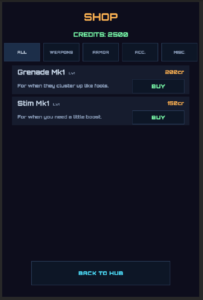
The shop now has category tabs so you can quickly browse what’s available — weapons, armor, accessories, or consumables. Each item card shows its type at a glance, so you know whether that Plasma Pistol is something your Operative can actually use before you buy it.
New gear unlocks as you win battles, scaling from basic sidearms and light vests up to Void-tier weaponry for veteran crews.
Know Your Crew
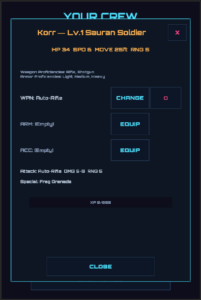
The View Crew screen now shows each operative’s weapon and armor proficiencies — which weapon types they can equip and what armor classes they can wear. No more guessing whether your Mystic can use that Sniper Rifle you just bought. (They can’t.)
A new View Inventory button lets you browse everything you own, filtered by category.
Smarter Enemies
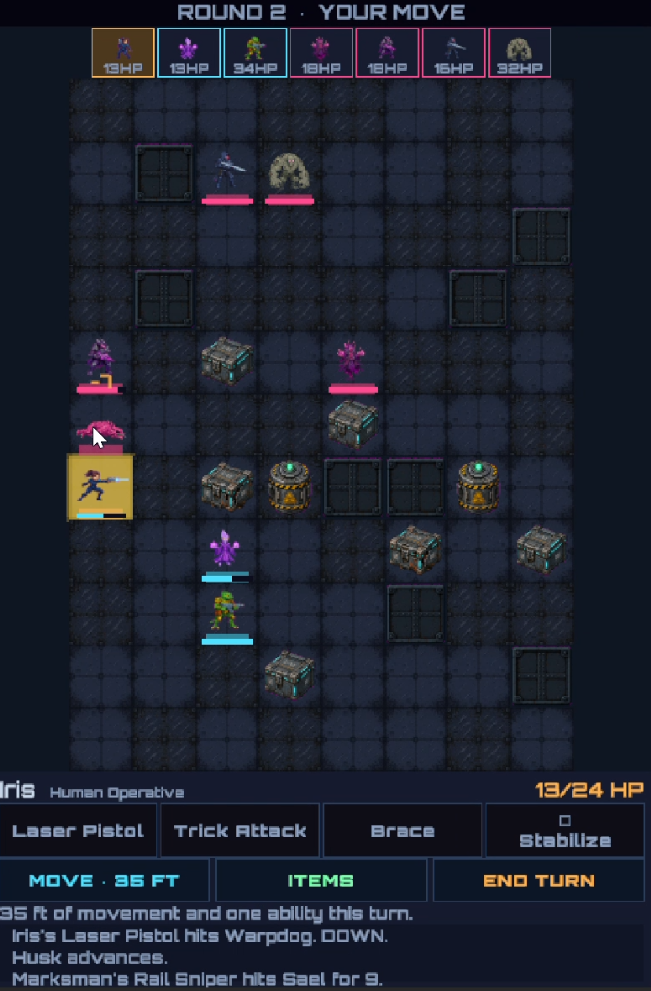
Enemies no longer get stuck behind walls. They’ll navigate around obstacles to reach your squad, even if it takes multiple turns. Ranged enemies have also learned to use cover — they’ll position themselves behind crates when they can.
Complete Art Overhaul
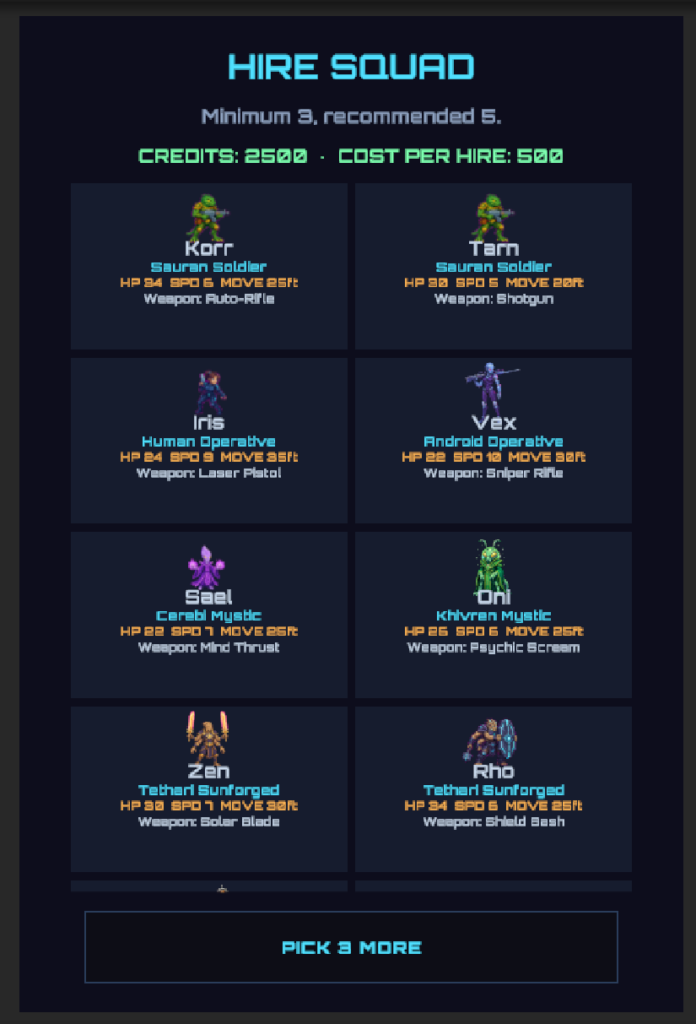
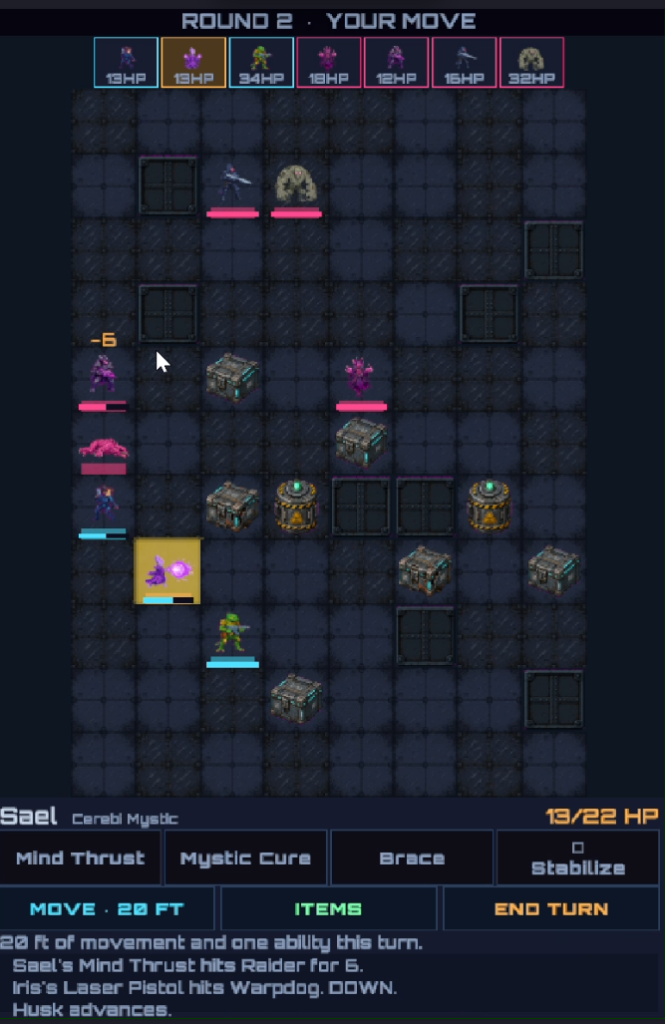
Every unit on the battlefield — all 10 player operatives and all 5 enemy types — now has hand-processed pixel art sprites with three states: idle, attacking, and downed. When a unit fires, you’ll see their attack pose flash briefly. When they go down, they stay on the board as a visible corpse rather than disappearing.
The battlefield itself got the same treatment. Procedural colored squares have been replaced with detailed floor plating, sci-fi cargo crates for cover, and riveted steel wall segments. The derelict freighter Ossuary Queen finally looks the part.
Quality of Life
- Level Up button is now clearly visible (it was nearly invisible before — oops)
- Quit button asks for confirmation so you don’t accidentally lose your run
- Tile highlights are subtler so the new art shows through
- XP requirements doubled — leveling was happening too fast
A Note on the Art Pipeline
The pixel art in this update was created using an AI-assisted workflow. I want to be transparent about what that means and what it doesn’t mean.
The AI part: With each unit’s species, class, and weapon already defined in the game design, I used AI image generation to produce sprite sheets — three poses per character (idle, attack, downed) on a solid magenta background. Early on I learned that asking for “transparent background” produced checkerboard artifacts in the output, so I specified a solid #FF00FF magenta instead — a classic game dev trick for color-keying that dates back decades.
The human part: AI output is not plug-and-play. Every generated sprite sheet went through manual post-processing:
- Transparency — Imported into GIMP, selected the magenta background by color, deleted it, and created proper alpha transparency on a new layer
- Scaling — Resized each sheet down to the target sprite dimensions (48×48 pixels per frame)
- Alignment — Added rulers to verify each sprite sits cleanly within its tile boundaries
- Extraction — Copied each individual frame (idle, attack, down) into its own image at exact tile dimensions
- Export — Saved 3 separate PNGs per character, 15 characters total — 45 sprites hand-extracted and verified
Then each sprite needed to be imported into Unity with the correct settings (Sprite texture type, Point filtering for pixel art), and wired into the sprite resolver system that maps each unit’s species and equipped weapon to the right art.
AI accelerated the most time-consuming part of solo game dev — producing base art when you’re not an artist. But it didn’t eliminate the work. It changed the work from “draw 45 sprites from scratch” to “direct the generation, then clean up, process, and integrate 45 sprites.” That’s a meaningful productivity gain, and I think it’s worth being honest about both sides of it.
I’m a developer who has embraced AI as a productivity tool and is actively experimenting to find where it adds the most value — and where it still needs a human hand. For sprite generation with a well-defined art direction, it’s genuinely useful. For the code, I lean on Claude Code to do most of the actual writing, while I stay responsible for feature direction, commenting standards, and much of the general code design. The game design and integration work? That’s still me.
What’s Next
Phase 4 will add selling items from your inventory and loot drops from defeated enemies. After that, it’s backend integration, user accounts, and WebGL deployment.
Thanks for following along.